Scheduled Health Checks for Always-On Personal Agents
September 20, 202610 min read2,194 words
Text: Derek Tran
Behavioral checks catch agent failures that server uptime monitoring completely misses.
A personal agent that runs all day and all night is not the same thing as a personal agent that works all day and all night. Uptime monitoring tells you the server responded. It says nothing about whether the agent gave a correct answer, finished the task, picked the right tool, or stayed inside its budget. Those are behavioral questions, and behavioral questions need a different kind of check.
UptimeRobot's 2026 guide states that an agent "can return a plausible answer while using the wrong tool, burning tokens in a loop, missing a guardrail, or taking too long to finish a task," and none of that appears on a status page. Parloa's August 2026 guide backs this up from the production side: performance can decline with no outage at all, first appearing as a shift in resolution or grounding quality while the top-line dashboard still shows green. The gap between "online" and "working" is where personal agents quietly go wrong. To see why, it helps to look at how they actually fail.
The four ways a personal agent fails without going offline
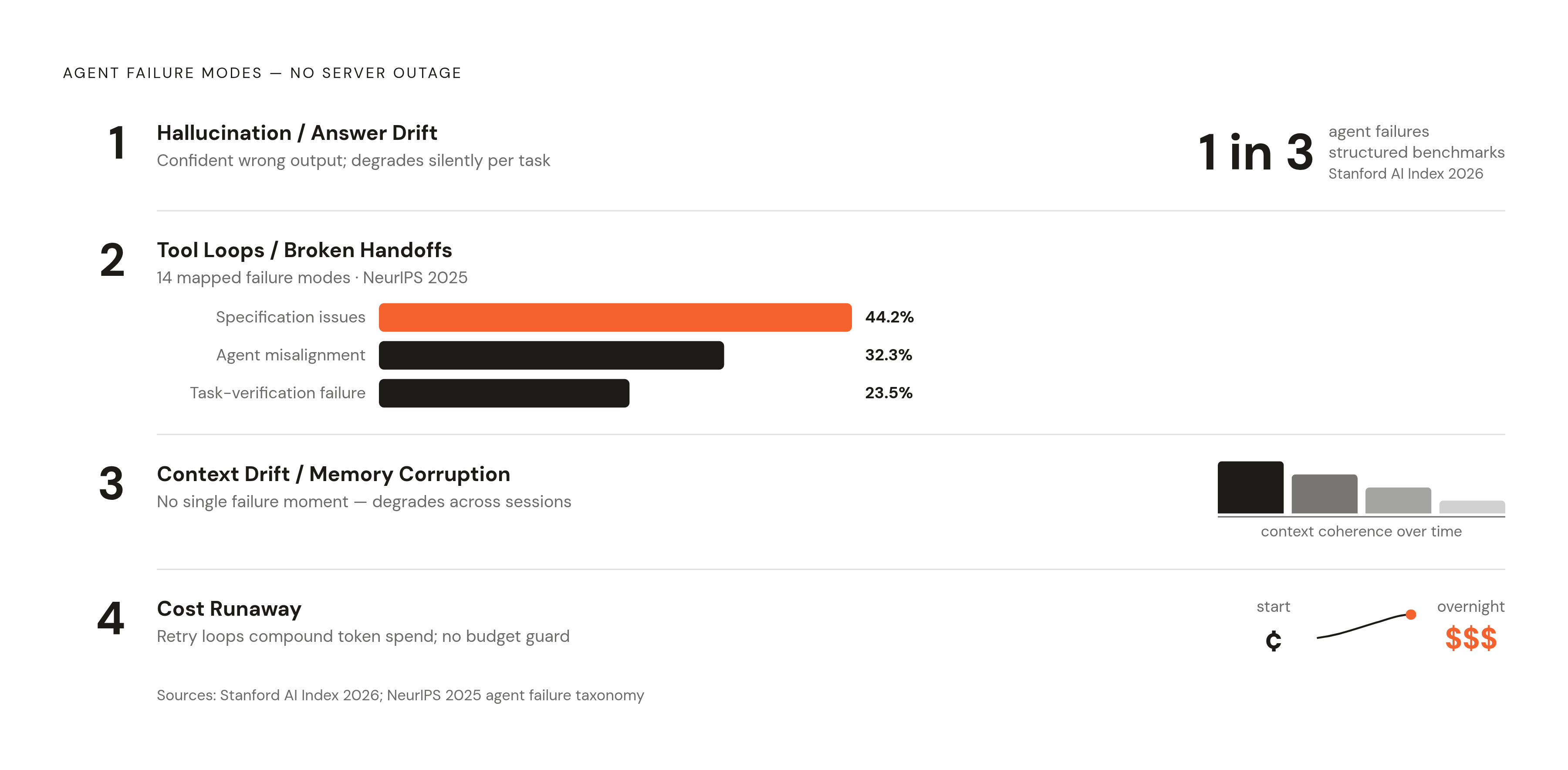
Four failure patterns sit entirely outside what a server-status check can see.
Hallucination and answer drift. The agent answers with total confidence, and the answer is wrong or made up. Stanford's AI Index 2026 puts agent failure rates on structured benchmarks at roughly one in three attempts, a number that never touches an availability metric because the server was up the whole time. For a personal agent handling scheduling, research, or finance, a confident wrong answer usually does more damage than an honest failure to respond.
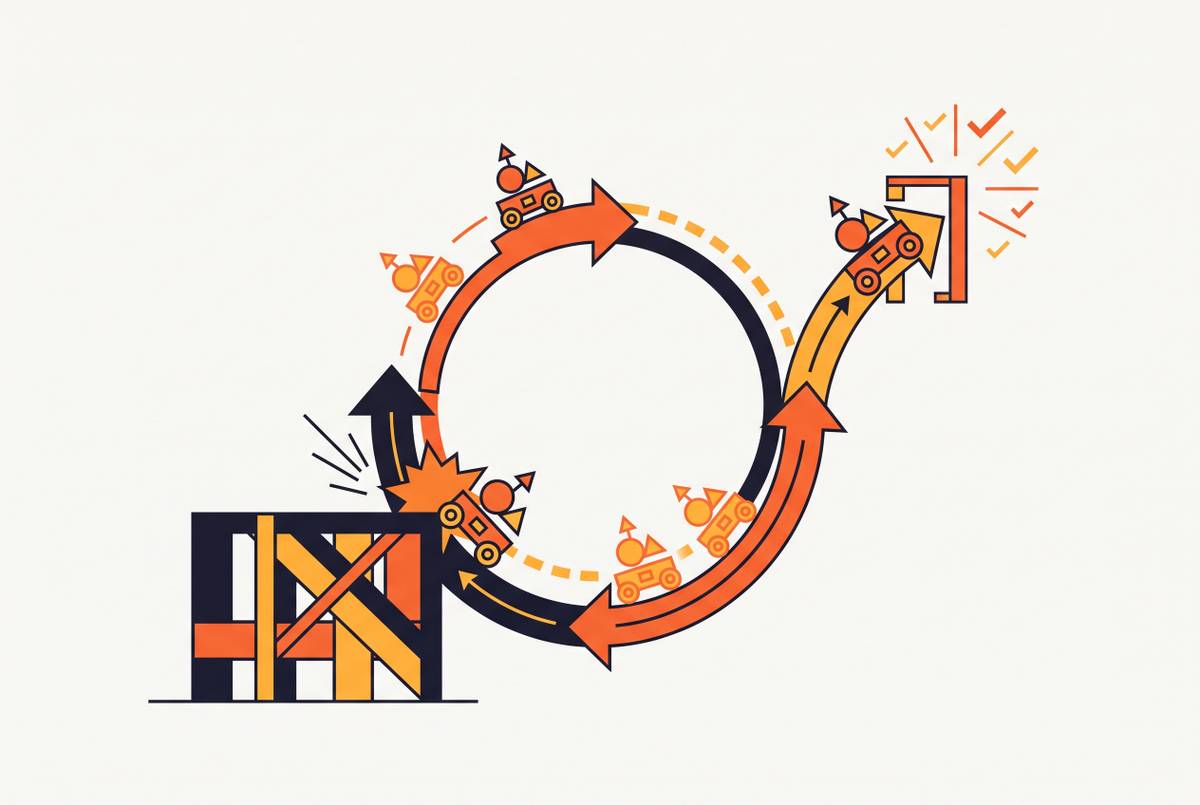
Tool loops and broken handoffs. The agent calls the same tool over and over without finishing the job, or hands work to a sub-agent that stalls out. Research cited by Parloa, from NeurIPS 2025, mapped 14 distinct failure modes in multi-agent systems: 44.2% traced back to specification issues, 32.3% to misalignment between agents, and 23.5% to failures in verifying the task was actually done. These loops are quiet. The agent looks active. Tokens keep burning. Nothing gets finished.
Context drift and memory corruption. Agents that run for a long time build up context, and stale or contradictory pieces of that memory drag down output quality with no single moment you'd call a failure. Memory needs active upkeep, because old or hallucinated entries sitting in long-term memory make an agent steadily less trustworthy. For personal agents, where persistent memory across sessions is often the whole point, this isn't a side issue. It's central.
Cost runaway. A tool call stuck in a loop, or a context window that's grown too large, can rack up token spend that scales with no visible trigger. UptimeRobot's 2026 guide flags exactly this: catching "runaway API calls or token usage before bills explode." A task that should cost a few cents can turn into several dollars overnight if nobody's watching. For an always-on agent, the billing spike is often the first sign anyone notices of a behavioral problem that actually started hours earlier.
What a behavioral health check tests
A traditional health check asks one question: is it responding? An agent health check asks something harder: is it behaving correctly? Those are not the same question, and answering only the first one is how failures go unnoticed for days.
CloudNuro's 2026 playbook found that 65% of enterprise AI agent incidents come from gaps in engineering-level observability, not from the underlying language model itself. The problem usually isn't what the agent is running on. It's what nobody's watching.
Parloa's August 2026 research lays out a four-layer stack worth adopting as a mental model.
- User outcome signals: did the task actually get done, correctly?
- Task quality signals: did the agent take the right steps to get there?
- Model and retrieval behavior: how often does it hallucinate, and how well does its output stay grounded in real sources?
- System signals: latency, cost, tool-call error rates, the layer uptime monitoring already covers, but only as the floor, not the whole building.
A principle that matters as much as the layers themselves: evaluation probes need to run inside the live workflow, in real time, not as a batch job someone reviews the next morning. A health check that only runs after the fact is a postmortem, not a monitor.
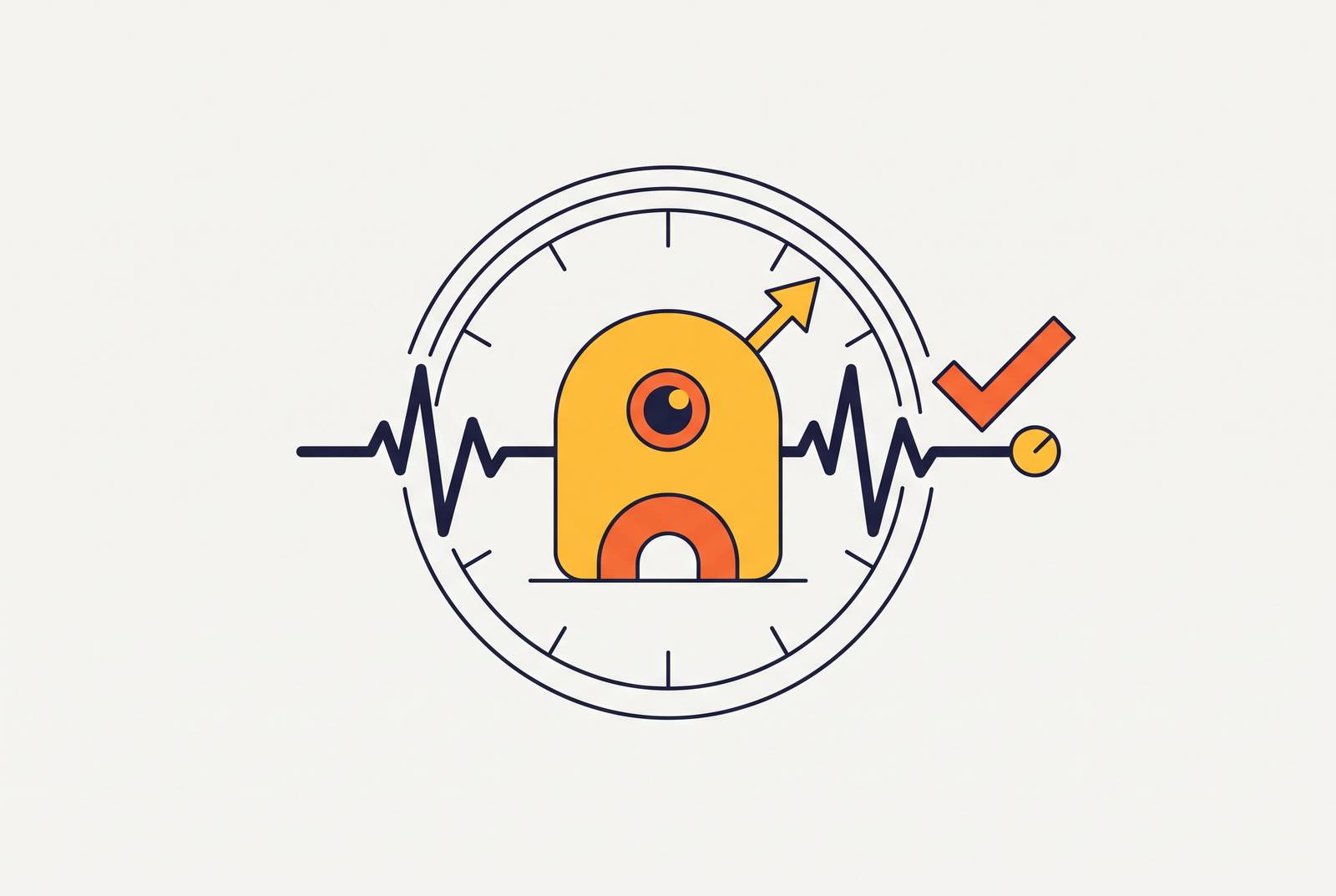
The simplest version of this is a canary eval: a scheduled question with a known right answer. Ask the agent something you already know the answer to, on a timer. If it gets it wrong, something changed. No elaborate evaluation harness required. And the schedule matters as much as the check itself: an agent can pass Monday's check clean and fail Friday's with no outage in between, because drift builds up gradually, not all at once.
The signals a scheduled health check should include for a personal agent
Six things belong in a personal agent's check rotation.
LLM connectivity and latency. Confirm the model endpoint responds, and confirm it responds fast enough to matter. OneUptime's March 2026 recommendation puts this first in a well-built agent health endpoint, and for good reason: a model that takes 8 seconds to answer might count as "up" while being useless for anything real-time.
Tool availability and success rate. Every tool the agent touches, calendar, email, search, browser, needs its own check on its own schedule. A container running doesn't mean the calendar API is reachable. Tool-call success rate is one of the defining differences between agent monitoring and generic AI monitoring. For agents wired into Gmail, Slack, WhatsApp, or GitHub, expired auth tokens and rate limits are the usual silent killers.
Canary eval. A scripted prompt, a known correct answer, run on a timer, compared automatically. This catches model version changes, prompt regressions, and guardrail drift long before a user notices something's off. It can be as basic as a factual question or a formatting task with one right answer.
Token budget and cost rate. Check the remaining budget and current burn rate against a set threshold, and alert before the money's gone, not after. OneUptime names token_budget_remaining as a field that belongs directly in the health response. This matters most overnight, when a stuck loop can chew through a month's budget while nobody's looking at a screen.
Memory integrity. Periodically check that long-term memory is internally consistent, not self-contradicting or corrupted. Good practice calls for both cleanup (clearing out old, irrelevant entries from memory) and integrity checks that confirm the stored knowledge hasn't drifted into something false.
Task completion rate. The ratio of tasks finished to tasks attempted, over whatever window you're measuring. CloudNuro's 2026 research calls this out as a direct measure of real value delivered, not just activity. An agent that attempts ten scheduled jobs and finishes six has a real problem, and no uptime graph will ever show it.
A recommended pattern for structured telemetry on every check run includes fields like input and output tokens, latency in milliseconds, and cost in dollars. That level of detail is what turns a failure into something you can actually replay and debug, instead of a vague sense that something went wrong yesterday.
Translating raw signals into a health score and actionable thresholds
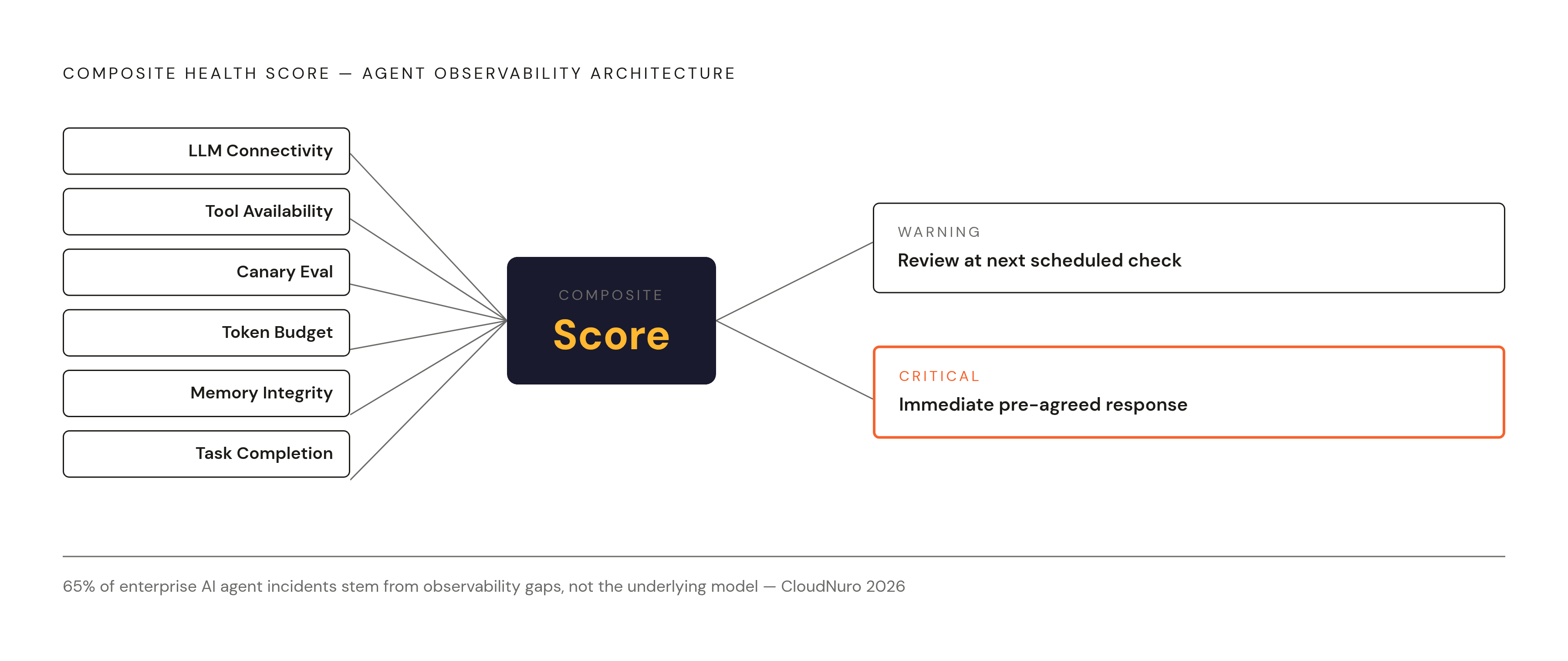
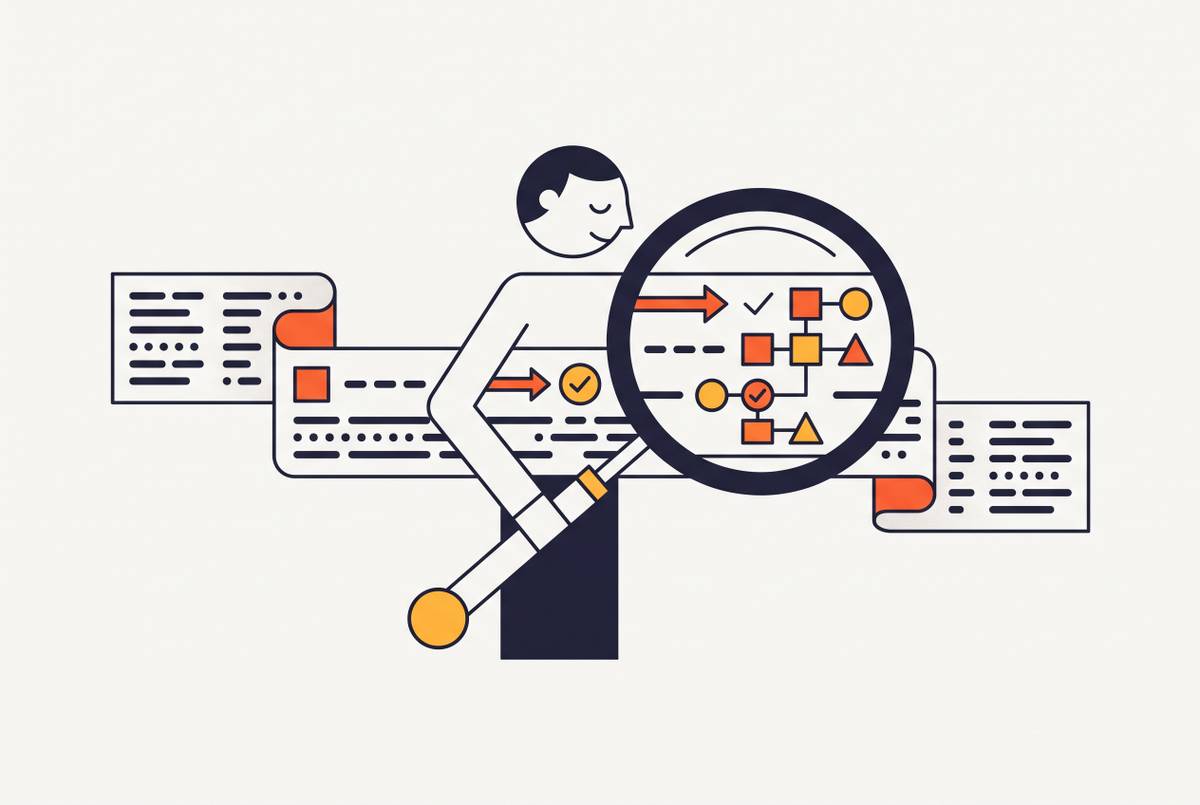
Six signals running independently are six things to check by hand. What you actually want is one number that tells you, at a glance, whether the agent's okay. One common pattern does this with a single composite health score, fed by counters tracking check runs, degraded components, and synthetic task results.
A single missed canary eval might just be noise. A score sliding downward across three checks in a row is a pattern, and patterns are what deserve a response.
Thresholds only mean something if they're built from your agent's own behavior. Vendor default thresholds rarely match how a specific agent actually behaves in production. The fix is to baseline off a stable stretch of real traffic, then set warning and critical lines relative to that baseline, not off some number pulled from a vendor's documentation. And that baseline has an expiration date: Parloa recommends recalculating it after every release, and after any change to tools or knowledge sources. A health check calibrated against last month's agent is measuring the wrong thing.
Two tiers of alerting cover most cases. A warning triggers review at the next scheduled check. A critical alert triggers an immediate, pre-agreed response, one decided before the incident, not improvised during it. MLflow's May 2026 guidance also recommends a circuit breaker pattern for systems with sub-agents: build in health checks per sub-agent, and let the system degrade gracefully rather than crash outright. A healthy agent under stress should slow down, not fall over.
For a personal agent specifically, routing matters. Send critical alerts to whatever channel the agent already uses, Telegram, Slack, WhatsApp. An agent that watches its own health and reports back through the same interface it normally talks to you in closes the loop cleanly, with no separate dashboard to remember to check.
Checking a new agent version before it touches your live setup
Every model update, every prompt tweak, every tool version bump is a chance to break something the current health checks are quietly passing. The checks that work today were tuned for today's version. Tomorrow's version is untested until it isn't.
MLflow's May 2026 guidance recommends shadow deployment: route a portion of production traffic to the new version, and compare its output against the current one before rolling it out fully. What to compare is the same list already being tracked by the daily health checks already in place. Nothing new needs to be built. The instrumentation already in place for daily health checks does double duty here.
This matters in very concrete terms for coding agents. A tool like Claude Code or Codex that quietly shifts how it edits files during a version update can introduce regressions into an ongoing project that don't surface for days, long after the update itself is forgotten.
Audit logs are the backbone of this whole process. MLflow's guidance calls them out directly: audit logs aren't only for compliance, they're the primary tool for figuring out why an agent made a decision nobody expected. The telemetry from routine health checks is that audit log. It doesn't need to be built separately.
One more thing needs deciding ahead of time: the exact threshold at which a new version gets rolled back. That threshold belongs in the monitoring runbook, set before the shadow deployment starts. Deciding the rollback line after a bad metric appears in the data is deciding it too late, under pressure, with a live agent already misbehaving.
What "scheduled" means in practice for a 24/7 personal agent
Not every signal needs the same clock. Matching the check frequency to how fast each failure mode actually develops keeps the system useful without turning it into constant noise.
LLM connectivity and tool availability fail fast and quietly, so they benefit from frequent checks. Canary evals and task completion rate track slower, behavioral drift, so less frequent checks are usually enough. Memory integrity and cost rate build up gradually, so a daily check catches them before they become a real problem.
A scheduled task with persistent memory can run its own canary eval on a timer and push the result through the same messaging channel it already uses to talk to you, so the agent effectively checks itself on a schedule you set once and forget about. A gateway that manages routing and permissions can route a synthetic check through the exact same skill pipeline a real request would use: the check behaves exactly like production, not like a separate test environment that might not catch what production actually does.
None of this works if the checks don't persist. A health check that forgets its own history on restart only sees a single point in time, and a single point in time can't show drift. Results need to land in storage that survives across sessions, or the whole exercise is just a snapshot with no memory of yesterday.
CloudNuro's 2026 research found that only 15% of generative AI deployments currently instrument any real observability, yet organizations using mature monitoring release 60% more products or revenue streams than those that don't. Scale that down to a personal agent, and the gap is the same one, just personal: the difference between an agent trusted enough to run on its own and one that needs constant babysitting.
Running a health-check scheduler reliably takes the same always-on infrastructure the agent itself needs. A check that only fires when a laptop happens to be open isn't a real production check, it's a coincidence. Platforms built to keep an agent's files, state, and scheduled tasks persistent between sessions are the natural home for this kind of monitoring, because the check and the agent share the same uptime guarantee. Neither one is more reliable than the other.
Starting small still counts as starting. One canary eval, one cost-rate check, one tool ping, all three running on a schedule, all three writing to a log the agent itself can read back. That's a real baseline, and it's more than most personal agents have today.