Agent Naming, Tagging, and Instance Organization From Day One
September 12, 202611 min read2,506 words
Text: Priya Nambiar
A flawed naming schema at day one cascades into months of costly cleanup later.
Enterprises are drowning in AI agents they can't track. A 2026 IBM Institute for Business Value study found that 94% of enterprises say AI sprawl is now raising their security risk and their operational headaches, and Gartner predicts more than 40% of agentic AI projects will get canceled by the end of 2027, not because the models fail, but because costs spiral, business value stays murky, and risk controls never catch up. That gap between a working pilot and a stable production system usually traces back to one decision made way too casually: what you name your first agent instance. Get that naming and tagging schema right on day one, and it scales with you. Get it wrong, and you inherit a mess that only gets more expensive to untangle the longer you wait.
Only a small fraction of organizations report they're actively running agents in production, even though a much larger share say they have something ready to deploy. That's a wide gap between "built" and "actually working." A lot of that comes down to teams picking a tool and calling it a deployment, while skipping the boring organizational layer entirely: instance names left on defaults, no tagging plan, no ownership labels anywhere. Then, six months later, nobody can say which agent belongs to which customer, what version it's running, or who's supposed to be watching it. This piece is about fixing that at the source.
What a naming schema actually controls downstream
An instance name looks like a label. It isn't. It's a key.
Every name you assign at provisioning gets copied into audit logs, billing records, incident alerts, access policies, integration routing rules, and every dashboard view built on top of those systems. Change the name later, and you're not editing one field, you're chasing it through six systems that already baked it in.
Take a per-user sandbox setup, the kind where each customer gets their own isolated agent spun up automatically at onboarding. In that architecture, the instance name is often the only stable thread connecting the agent to the customer record, the billing line, and the support ticket. Break that thread and support has no way to find the right sandbox when a customer calls in.
Integrations feel the same pain. An integration routing events to an external service can't tell a customer's live agent sandbox from an internal test instance if both were left with generic, auto-assigned names. That's how routing errors happen: a test message lands in a real customer's channel, or a real event gets swallowed by a dev environment nobody's watching.
Security operations run into a sharper version of this problem. Agent-generated pull requests should carry a label with the tool and the session ID so that if something looks off, a security engineer can go from the PR straight back to the originating session in whatever SIEM tool they use. Without that label, tracing a bad action back to its source turns into guesswork. And this isn't unique to code agents: any hosted agent that doesn't send structured metadata at the moment it's provisioned will produce logs with nothing useful in them later.
The schema decides who can query which instances, how billing rolls up per customer, which instances land in a compliance audit window, and which alerts wake up which team at 2 a.m. Fix it after the fact, and you're re-tagging every live instance, rewriting every alert rule, and updating every integration one at a time. That's not a weekend project. That's months of quiet, expensive cleanup.
The four fields every instance name should encode from day one
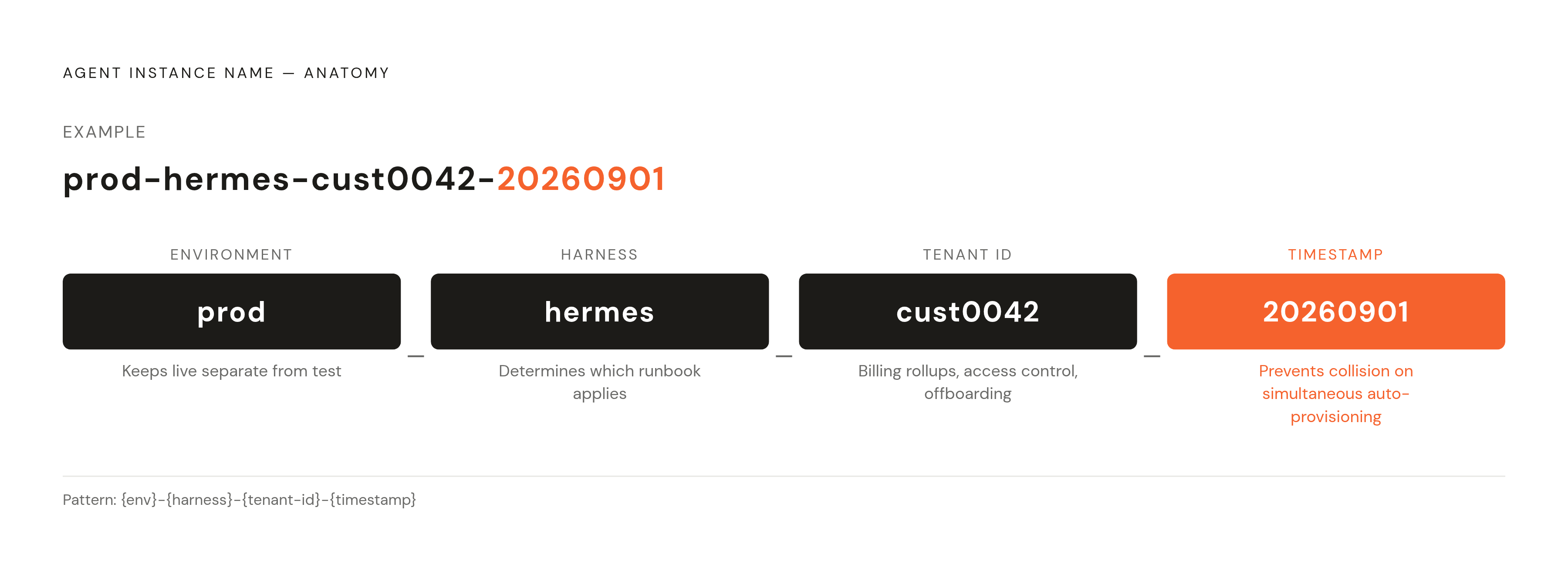
A good naming convention packs four things into every identifier: environment, agent type, tenant or owner, and a timestamp or sequence number.
Environment prefix. Something simple: prod, staging, dev. This one prefix keeps live customer instances visually and programmatically separate from anything still being tested. Skip it, and the single most common failure follows almost automatically: test agents can bleed into tracking that was only supposed to cover live customer data.
Agent type or harness. This tells you which engine is actually running underneath: hermes, openclaw, claude-code, codex, or some custom harness built in-house. It matters because different harnesses need different runbooks. OpenClaw's persistent in-memory state behaves nothing like Hermes's disk-first, stateless-by-default design, and the recovery steps for one will do nothing for the other. An on-call engineer staring at an alert at 3 a.m. shouldn't have to guess which playbook applies. The harness name tells them instantly.
Tenant or owner identifier. For operators running one agent per customer, this is a customer ID or a short slug, never a real name or email address that could leak personal information into a log line somewhere. For internal deployments, it's the team or function: sales, eng, ops. This field is what turns billing rollups, access control, and account offboarding into something automatic instead of something someone has to remember to do by hand.
Timestamp or sequence suffix. Needed once a single tenant runs more than one instance of the same type, like a customer with a Hermes agent doing email triage and a second one pulling data from a warehouse. Timestamps beat sequential numbers here, especially when instances get created by code rather than by a person clicking a button, since two processes racing to grab the next number in line will eventually collide.
Put together, it looks like this: {env}-{harness}-{tenant-id}-{timestamp}, so prod-hermes-cust0042-20260901 tells you everything at a glance. This shouldn't be something a developer types in by hand when they feel like it. Bake it into the provisioning API or the deployment form as a required field, so skipping it simply isn't an option.
Tags as the second layer: what names cannot carry
Names don't change. Tags do, and that's the whole point of having both.
Some things belong in tags instead of names because they shift over time in ways a permanent identifier can't:
- Billing tier, since a customer upgrading their plan shouldn't require renaming their entire agent instance
- Active integrations, tagged individually (integration:gmail, integration:slack, integration:github) so you can ask "which instances use the GitHub integration" the moment Composio ships a toolset update, instead of manually checking every instance one by one
- Compliance scope (hipaa:yes, soc2:in-scope), which narrows an audit pull down to only the instances that actually matter for it
- Owner or on-call contact, listed by team or role rather than a person's email
- Contract tier or SLA class, which decides how fast an alert needs a response
- Config or prompt version, so a rollback question like "which instances are still on config v2.3" has a real answer
Composio alone connects to over a thousand toolkits covering more than 20,000 individual tools. At that scale, tagging instances by which integrations they actually use is the only realistic way to figure out blast radius when a toolkit changes or a credential needs to rotate. Nobody's checking that by hand across hundreds of instances.
Tags need rules, though, or they turn into the same sprawl problem they're supposed to solve. Set an approved list of tag keys and allowed values before the first production instance ever goes live. And build that rule into the provisioning script itself: reject any instance creation call that's missing a required tag, the same way a database schema rejects a row missing a required column.
Organizing instances into groups: environments, tenants, and agent fleets
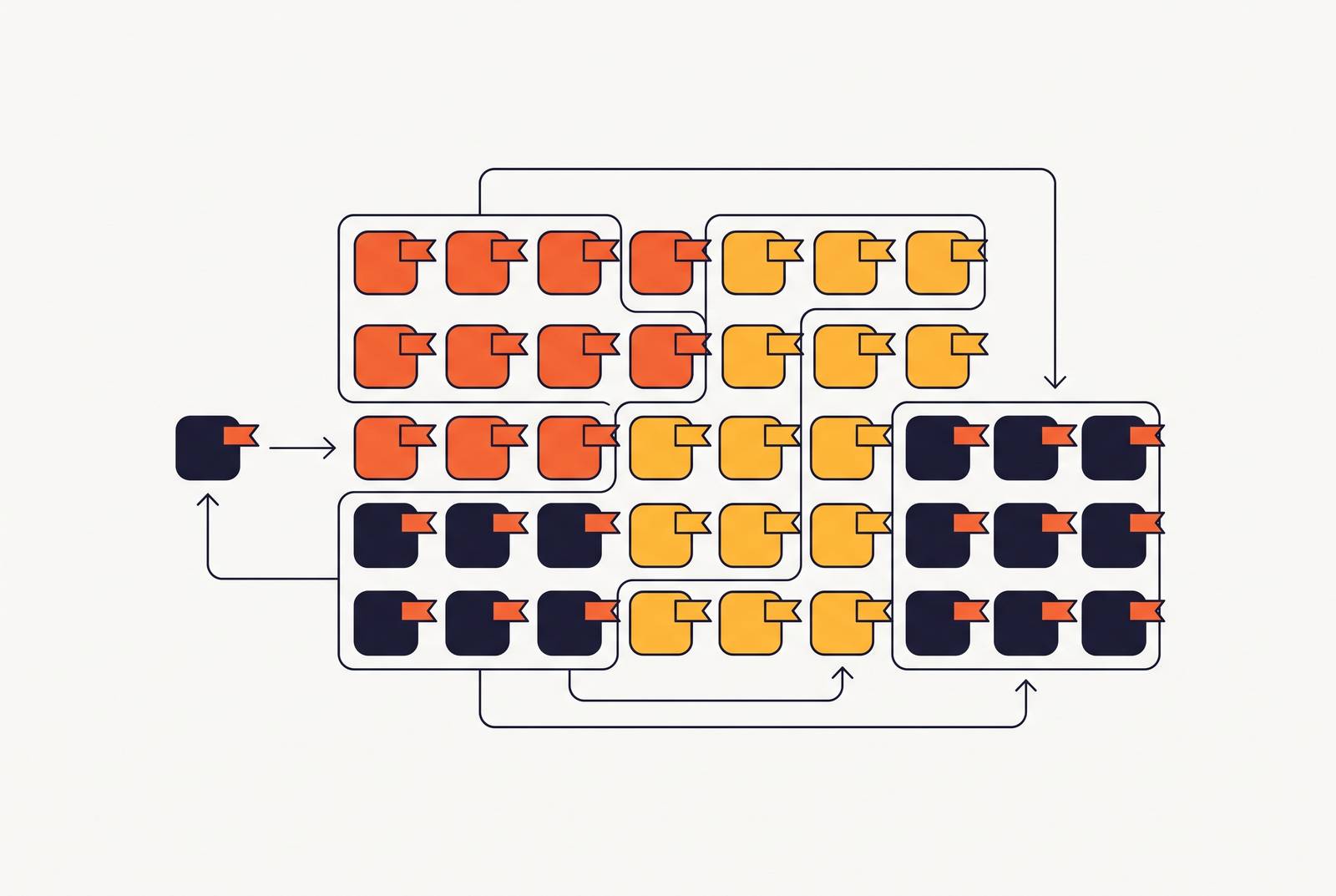
Most operator setups sort instances along three lines, and all three matter for different reasons.
By environment first: prod, staging, dev. This is the initial split, the one that keeps cost tracking, access rules, and compliance scope from bleeding into each other.
By tenant: every instance tied to one customer, regardless of what harness it runs or what job it does. This is the group that matters when a customer leaves and you need to delete every trace of their data cleanly, all at once.
By fleet or function: every instance running the same harness for the same purpose, across every customer, say every prod-hermes-* instance doing email triage. This is the group that matters for rollouts, when a new version needs to reach everyone running it.
None of these groupings fight each other. A well-tagged instance shows up correctly in all three views without anyone maintaining three separate spreadsheets to track it.
The tenant view matters most for white-label operators, the ones giving every customer their own private, branded agent. That group is what gets spun up the moment a customer signs on and torn down cleanly the moment they leave.
The fleet view matters most for version updates. When a new release arrives for any harness in the fleet, the operator needs to pull up every instance in that fleet, test the update in staging first, and only then push it to production. That's only possible if the fleet is something you can actually query, not something you're keeping track of in your head.
And production-grade sandboxes tend to lean on features like pause, resume, snapshot, and scale-to-zero when idle, all of which operate on groups of instances. An operator who can't reliably identify their own fleet can't use any of those features with confidence.
One anti-pattern shows up constantly: organizing instances around whichever person happened to deploy them, instead of around tenant or function. It works fine right up until that person leaves the company or the team doubles in size, and then the whole scheme collapses overnight.
Applying the schema to the agents operators actually deploy
Different harnesses carry different quirks, and the schema needs to bend around them rather than pretend they're all identical.
OpenClaw, now at stable v2.0 (build v2026.8.1, released August 30, 2026), has drawn over 345,000 GitHub stars and hosts more than 13,700 skills on ClawHub. Its in-memory state is persistent, so the instance name and a checkpoint-strategy tag both need to exist at creation time. If the host process restarts, that tag is what tells the recovery system where to pull the checkpoint from. When OpenClaw runs as an orchestrator alongside Hermes acting as executor, both instances should carry a matching pipeline-id tag so they're managed as one unit rather than two unrelated processes. And with over 13,700 skills live on ClawHub, tagging which skill sets are active on each instance means an integration audit can figure out exactly which instances a given skill update would touch.
Hermes Agent, built by Nous Research (which raised $50 million from Paradigm at a $1 billion token valuation), launched publicly in early 2026, sits at version 0.2.0, and has around 110,000 GitHub stars. Its disk-first, stateless-by-default sub-agents make for a simpler checkpoint story than OpenClaw's, but the memory-path tag still needs to record exactly where on disk that memory lives, so backup and restore aren't a guessing game. Its self-improving skill system also means tagging skill-version or training-epoch matters, in case a learned behavior degrades and a specific instance needs rolling back. And since Hermes sends no telemetry by default, tagging data-residency and telemetry:none explicitly gives you documented proof of compliance posture, which matters a lot if that instance ever sits inside a SOC 2 audit.
Claude Code ships enterprise controls like HIPAA readiness, SCIM provisioning, and IP allowlisting. Instances using those controls should carry hipaa:yes and scim:enabled tags, which scopes exactly which instances get pulled into a HIPAA compliance review. Its experimental Agent Teams feature, introduced in early 2026 and disabled by default, needs a shared team-id tag across the coordinating session and its teammates whenever it's turned on, since that's what makes audit log correlation possible later.
OpenAI Codex runs as a managed product across multiple surfaces, so a surface tag (surface:web, surface:api) helps distinguish instances by entry point, which affects both access control and figuring out who did what. Its sandbox isolation also differs by surface, running OS or kernel-level sandboxing on CLI and IDE surfaces, and isolated managed containers on the cloud surface, so tagging that isolation level explicitly lets a security review confirm it without having to dig through configuration files.
Custom harnesses fit the same pattern without much modification: {env}-custom-{tenant-id}-{timestamp}, with a harness-version tag carrying whatever internal version string the team already uses.
Integrations and the naming contract they depend on
Composio's catalogue spans over a thousand toolkits and more than 20,000 tools. At that scale, the integration layer simply can't function if it can't tell which instance it's acting for.
Auth is the part that breaks first. Composio manages OAuth flows, API keys, token refreshes, and credential lifecycles, all scoped to a specific connection, and that connection is anchored to an instance identifier. If that identifier is inconsistent, missing, or duplicated, credential rotation fails quietly, and nobody notices until something stops working.
Picture an agent handling Gmail triage for one customer and a separate agent handling GitHub automation for another. Both need distinct, unambiguous identifiers in every Composio call, or a tool action meant for one customer's workspace can land in someone else's. Webhook routing carries the same risk: when Slack or WhatsApp delivers an event to a fleet of agents, the routing layer depends on the instance identifier to send that event to the right sandbox. Any ambiguity at the tenant level, and that routing stops being deterministic.
Custom actions, expanded through 2026, raise the stakes further. Teams wrapping their own internal APIs inside Composio's managed auth layer need instance tags to define which internal credentials are valid for which agent. Skip the tags, and credential scoping collapses into an all-or-nothing arrangement, which is exactly the opposite of what a security team wants.
Composio holds SOC 2 Type II and ISO/IEC 27001:2022 certifications, and audits against those frameworks require proof that each agent's credential scope is bounded correctly. Instance tags are the paper trail that makes that proof producible on demand rather than reconstructed after the fact.
Treat the instance name the way a database engineer treats a foreign key: it's the join between the agent platform and every integration built on top of it. Get sloppy with it, and every system downstream inherits the sloppiness.
Governance, audit trails, and why the schema is a compliance artifact
Every agent session needs to map back to a named human identity somewhere in the chain. Without that mapping, access reviews turn into archaeology, offboarding leaves orphaned instances running, and audit trails stop being trails at all. The instance name and the tenant tag are what make that mapping something a machine can check automatically, instead of something a person has to reconstruct from memory during an audit.
None of this is glamorous work. Naming conventions and tag schemas rarely make it into a product demo, and nobody gets excited pitching a timestamp suffix. But the schema chosen for the very first instance is the schema the whole operation lives with, whether that operation is running ten agents or ten thousand. Naming and tagging done right at the start isn't overhead. It's the only thing standing between an agent deployment that scales and one that quietly turns into the operational mess the industry keeps warning about.